How to Migrate SaaS Billing to Stripe, Lago or Orb Without an Outage
How to switch SaaS billing without losing revenue. Compare Stripe, Lago and Orb, audit your setup, and move customers safely at renewal dates.
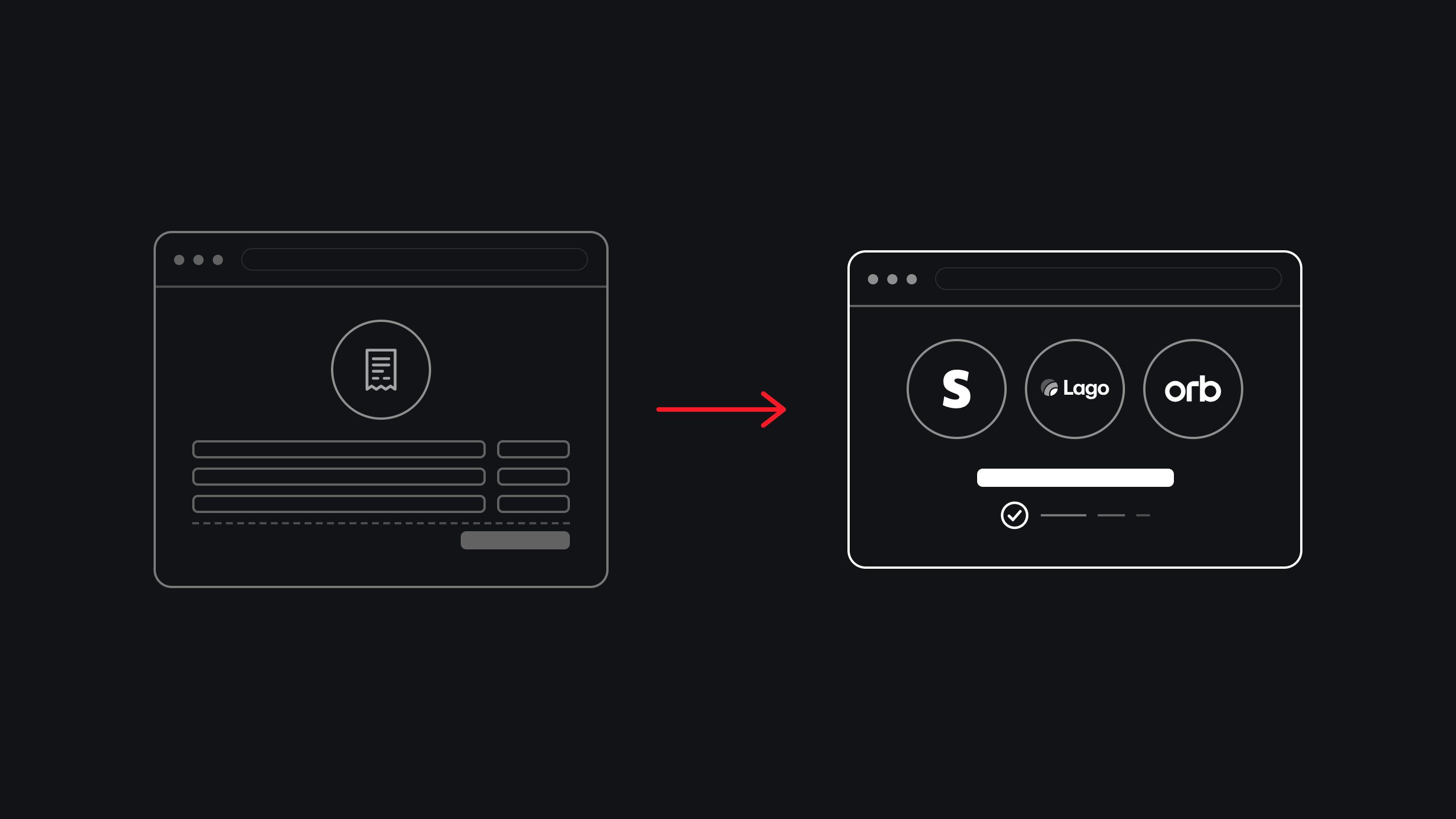
Pick the platform by your pricing model and who will own billing, not by popularity.
Audit what billing does today before you touch anything, including the unwritten rules.
Run the new system in shadow mode and reconcile every invoice before any customer is charged by it.
Move customers in cohorts at renewal dates, starting with internal and low-risk accounts.
Keep a rollback path per customer until a full billing cycle reconciles cleanly.
To migrate SaaS billing without an outage, run the new billing system in parallel with the old one, reconcile every invoice, then move customers in small groups at their renewal dates behind a feature flag. Stripe suits simple to moderate pricing, Lago suits teams that want open-source control, and Orb suits complex usage-based pricing.
A SaaS billing migration is risky because billing is tied directly to revenue. A mistake can mean failed charges, double charges or invoices that never get sent. The warning signs are familiar: a pricing change takes a full sprint, the ledger does not reconcile, customers need a support ticket to change plans, or tax is handled by hand.
If you run a SaaS product company that has found product-market fit, this guide is for you. It compares Stripe, Lago and Orb, shows how to audit your current billing, walks through a nine-step migration plan, and covers the hard parts: proration, failed payments, tax and rollback.
01 · Why SaaS billing migrations go wrong
SaaS billing migrations go wrong when the new system is switched on before anyone has proved it produces the same invoices as the old one. Because billing sits directly on revenue, even a small mismatch becomes a failed charge, a double charge or a missing invoice, and customers notice quickly.
Three causes show up again and again:
- Hidden pricing rules
- Years of discounts, grandfathered plans and custom enterprise contracts live in old code and spreadsheets, and nobody has written them down. The new system follows the plans you configured, not the rules you forgot.
- Customers caught mid-cycle
- Switching a customer halfway through a billing period creates proration problems, duplicate invoices or gaps in coverage.
- No comparison before cutover
- Teams copy the data across, flip a switch and find the differences from customer complaints instead of from a reconciliation report.
The safest migrations are boring. They move in small steps, check the result each time, and keep the old path alive until the new one has proved itself. The rest of this guide shows how.
02 · Stripe vs Lago vs Orb: which billing platform should you choose?
Choose Stripe Billing if you want subscriptions and card payments in one hosted place. Choose Lago if you want open-source, self-hostable billing and are happy to connect your own payment processor. Choose Orb if your pricing is usage-based or hybrid and changes often. Your pricing model and who will own billing decide it, not popularity.

The table compares the three on the points that matter most for a migration. It is based on each vendor’s own documentation, so check current details and pricing before you decide.
| Factor | Stripe Billing | Lago | Orb |
|---|---|---|---|
| Best for | Simple to moderate subscriptions with payments in one place | Teams that want open-source control and custom usage pricing | Usage-based and hybrid pricing that changes often |
| Usage-based billing | Billing Meters for basic usage pricing; Stripe recommends Metronome for new, more advanced usage-based setups | Meters, rates and invoices usage, with prepaid credit balances | Built around usage metering; accepts out-of-order and backdated usage events |
| Hosting | Hosted by Stripe | Open-source self-hosted edition, or managed Lago Cloud in US or EU | Vendor-hosted |
| How payments are collected | Stripe Payments, built in | Connects to processors such as Stripe Payments, Adyen and GoCardless | Optional Stripe Payments integration |
| Setup effort | Lower for standard pricing | Higher if you self-host and run it yourself | Medium: pricing setup, customer import and usage ingestion |
Stripe Billing
Stripe Billing is the default for many teams because subscriptions, invoices and payments live in one hosted system. Its test clocks let you simulate renewals, plan changes and payment failures in a sandbox without waiting for real billing periods, which is useful for a migration. For usage-based pricing, Stripe’s own documentation says to use Metronome for new integrations that need prepaid credits, enterprise contracts or real-time usage visibility, and to keep the older Billing Meters approach for straightforward pay-as-you-go pricing.
Lago
Lago describes itself as an open-source billing platform, with a self-hosted edition and a managed cloud version. It produces invoices and connects to payment processors rather than processing payments itself, according to Lago’s own comparison with Stripe. That suits engineering-led teams that want control over billing logic, but self-hosting means you run, secure and upgrade it.
Orb
Orb is built for usage-based and hybrid pricing, where plans combine a subscription with metered usage. Its guide to migrating from Stripe Billing recommends running Orb alongside Stripe, sending usage to both, and comparing invoices before you cut over. It also says customer records and payment methods stay intact, and that Stripe Payments can remain your payment processor.
Questions that decide it
- How complex is your pricing?
- Flat plans point to Stripe. Metered or hybrid plans point to Lago or Orb.
- Who will own billing?
- An engineering-led team may prefer Lago. A finance-led team that changes pricing often may prefer Orb.
- Do you need to host it yourself?
- Only Lago offers a self-hosted open-source edition.
- How do you collect payments today?
- Keeping Stripe Payments can reduce what you have to move.
- How much can you change at once?
- Moving the billing engine and the payment processor together adds risk. Change one at a time where you can.
03 · Before you start: what should you audit in your current billing?
A billing audit is a complete inventory of how your current system decides what each customer owes, so nothing is lost when you move. Do it before you choose a migration date, and have engineering and finance sign off on the result.
- Plans and prices
- Every plan, add-on, coupon, trial, currency and billing interval, including ones you no longer sell but still bill.
- Money movements
- Invoices, credit notes, refunds, taxes and how failed payments are retried.
- Every place the product touches billing
- Feature gating, usage events, admin tools, finance exports, customer emails and webhooks.
- The unwritten rules
- Grandfathered prices, custom enterprise contracts and manual adjustments that live in a spreadsheet or in someone’s head.
The output is a billing map the whole team agrees is correct. It becomes the checklist you reconcile against later, so a gap here turns into a surprise there.
04 · A zero-outage SaaS billing migration plan in nine steps
The nine steps below work whether you are moving to Stripe, Lago or Orb. The pattern is always the same: build the new system, prove it matches the old one, then move customers a few at a time.
- Step 01
Map the old model to the new one
Match every plan, price, coupon and rule from your billing map to the new system’s objects. Write down anything that does not fit, and decide whether to change the new setup or retire the old rule. Do not change prices during the migration, because then you cannot tell a migration error from a pricing change.
- Step 02
Build and test the new billing in a sandbox
Set up plans and prices in the vendor’s test environment. Simulate renewals, upgrades, downgrades and failed payments. Stripe’s test clocks are built for this, and the other platforms have their own sandbox or staging options, so ask each vendor what they offer.
- Step 03
Move your customer data
Import customers and subscriptions, and keep your own customer IDs on every record so you can match old and new later. Preserve each subscription’s original start date so contract timelines stay correct. If you plan to send historical usage, backfill it before any invoice is issued, because issued invoices are not recalculated. Orb’s Stripe migration guide spells this out for its platform.
Saved payment methods need extra care. If you keep the same payment processor, customers usually do not need to re-enter their cards. If you change processors, card data cannot simply be exported, so ask both vendors about their transfer process early, because it can take time.
- Step 04
Make every billing action safe to repeat
Networks fail and events arrive twice, so every action that touches money must be safe to run more than once. Use idempotency keys on requests and make your webhook handler ignore events it has already processed:
// Illustrative: record the event and apply the change in one transaction,
// so a duplicate webhook is ignored and a failure leaves no half-applied state.
export async function handleBillingEvent(event: { id: string; type: string }) {
  await db.transaction(async (tx) => {
    const inserted = await tx
      .insert(processedEvents)
      .values({ id: event.id })
      .onConflictDoNothing()
      .returning();
    if (inserted.length === 0) return; // already handled
    await applyBillingChange(tx, event);
  });
}- Step 05
Run in parallel (shadow mode)
Send the same usage and subscription changes to both systems. The new one calculates invoices but does not charge anyone. Orb recommends exactly this approach for its own migration: send usage to both, compare the output, and validate pricing before you cut over.
- Step 06
Reconcile every invoice
Compare old and new totals per customer for each billing period, and investigate every difference before moving on. A simple query shows where they disagree:
-- Illustrative: customers whose old and new invoice totals differ for a period.
-- Also check for customers that appear in only one system.
SELECT o.customer_id,
       o.total_cents AS old_total,
       n.total_cents AS new_total,
       n.total_cents - o.total_cents AS difference
FROM old_invoices o
JOIN new_invoices n USING (customer_id, period_start)
WHERE o.total_cents <> n.total_cents
ORDER BY ABS(n.total_cents - o.total_cents) DESC;
Aim for a full billing cycle with no unexplained differences before you move any customer.

- Step 07
Cut over in cohorts at renewal dates
Move customers in groups, starting with internal accounts, then small and low-risk customers, and the largest customers last. Switch each customer at a renewal boundary, not in the middle of a billing period, so there is no proration to untangle. A feature flag per customer or cohort controls the routing:
// Illustrative: route each customer to the old or new billing path
const useNewBilling = await flags.isEnabled("new-billing-cutover", { customerId });
const billing = useNewBilling ? newBilling : legacyBilling;
- Step 08
Keep a rollback path
Because each customer sits behind a flag, rolling back means switching that customer back, not restoring a backup. Keep both systems in sync until the customer has been stable for an agreed period, and write down in advance what triggers a rollback.
- Step 09
Retire the old system
After a full billing cycle with clean reconciliation, stop the old jobs, archive the data finance needs, and update your runbooks. Then remove the flags and the old code so the next engineer is not left guessing which path is live.
Switching every customer at once, changing prices during the migration, and skipping the reconciliation step. The plan above avoids all three.
05 · How do you handle proration, failed payments and tax during a billing migration?
You handle them by deciding the rules before cutover, testing each one in the sandbox, and moving customers at renewal dates so the trickiest cases never occur mid-cycle. These are the areas that most often cause surprises.
Mid-cycle customers and proration
Proration means charging a fair partial amount when a customer changes plan partway through a billing period. Avoid it during the migration by switching each customer at their renewal date. For annual plans, decide in advance whether to move at the next renewal or to run a controlled mid-term switch, and test that exact case in the sandbox.
Failed payments and dunning
Dunning is the set of automatic retries and reminders when a card is declined. Make sure only one system retries a failed payment at a time, so customers are not chased twice or not at all. Check that the retry schedule and the customer emails in the new system match what you intend.
Tax and invoice numbering
Confirm with finance how tax is calculated and shown in the new system, and keep invoice numbering continuous so your records and any audits stay clean. Test invoices for each region and currency you bill in, not just your main one.
Usage data
For usage-based plans, make sure usage events are neither lost nor counted twice during the switch. Send events to both systems during the parallel run, and compare the totals. Some platforms accept out-of-order and backdated events, which helps when a gap needs filling, but confirm how your chosen platform behaves.
Finance and reporting
Ask finance to sign off on the reconciliation and on revenue reports before cutover. A migration that is technically correct can still break month-end reporting if the data looks different.
Customer communication
Tell customers what will change before it does, for example a new invoice layout or a new payment portal. Support should have a short script ready for the first billing cycle.
06 · What should a billing migration rollback plan include?
A rollback plan should say what triggers a rollback, who decides, and exactly how a customer is switched back to the old system. Write it before the first customer moves, not after something breaks.
- Triggers
- Agree thresholds in advance, such as the failed-payment rate, the number of invoice mismatches or a spike in billing-related support tickets.
- Scope
- Rolling back should apply to one customer or one cohort at a time, using the same feature flag that moved them.
- Data
- Keep both systems in sync until a customer has been stable for an agreed period, so a switch back does not lose usage or invoices.
- Owner
- Name who can call a rollback, including out of hours around billing dates.

During the first billing cycle after each cohort moves, watch payments, webhook delivery, usage totals and invoice counts, and compare them with the old system’s numbers for the same customers.
07 · Common mistakes teams make in a SaaS billing migration
Treating it as a data copy.
A billing migration changes behavior, not just records. Proration, retries and tax all have to behave the same way afterward.
Skipping the parallel run.
Without a shadow period, the first sign of a problem is a customer complaint.
Migrating the largest customers first.
Learn on small accounts where a mistake is cheap, and move the biggest accounts last.
Forgetting the side doors.
Admin tools, refunds, finance exports and customer emails often read billing data directly, and they break quietly.
Changing pricing and platform in the same release.
If numbers move, you cannot tell whether the cause is the migration or the new prices.
Having no owner for the first cycle.
Someone has to watch the numbers closely when the first renewals run on the new system.
08 · When should you bring in a SaaS product engineering company?
Bring in outside help when billing logic is spread across your codebase, your team is already stretched, or the migration has stalled more than once. A SaaS product engineering company is an outside team of senior engineers that works inside your existing product and your review process to fix the system that is capping growth, instead of running a separate project or just adding headcount.
For a billing migration, a good partner will:
- Audit first
- Read the code you already have, map the billing model and rank the risks before proposing a plan.
- Build inside your codebase
- Write the new integration, the reconciliation tooling and the cutover flags alongside your own engineers.
- Ship in small, reversible steps
- Cohorts, flags and a rollback plan, not a single big-bang release.
- Leave you in control
- Documentation, a runbook and a handover so your team owns billing afterward.
When you compare SaaS product development services, ask four questions. Have they run live migrations on revenue-critical systems? How do they handle rollback? Who actually writes the code? And what do you keep at the end? If the answers are vague, keep looking.
If you want a second opinion before committing, our SaaS product engineering services start with a two-week systems audit that gives you a written findings document, whether or not you hire us for the next step.
09 · What we see when teams come to us
The teams we work with are usually past product-market fit. Growth is real, and billing has started to strain: ledgers that do not reconcile, plan changes that need a support ticket, or tax handled by hand. We migrate billing to Stripe, Lago or Orb, or harden a system the team built themselves, without a billing outage.
We do not begin by picking a platform. We begin with a two-week systems audit: two senior engineers read your codebase, interview your team and trace billing under real production data. You get a written findings document ranking the issues by risk and effort. If the work is worth doing, a small pod of senior engineers embeds with your team, and live changes ship behind flags with a rollback plan.
You can see how we work with SaaS teams on our case studies page.
Frequently asked questions
Run the new billing system in parallel with the old one, compare every invoice, then move customers in small groups at their renewal dates behind a feature flag. Keep the old path working until a full billing cycle reconciles cleanly, so any customer can be switched back.
Stripe suits simple to moderate pricing with payments in one place. Lago suits teams that want open-source, self-hostable billing. Orb suits usage-based or hybrid pricing that changes often. Your pricing model, who owns billing, and whether you want to self-host decide it.
Often yes. Lago connects to processors including Stripe Payments, and Orb offers an optional Stripe Payments integration. Orb states that customers’ payment methods stay intact when Stripe remains the processor. Confirm the details with your chosen vendor.
A parallel run, also called shadow mode, is when the new system calculates invoices alongside the old one without charging anyone. You compare the results to find mismatches before any customer is switched.
It depends on pricing complexity, data volume and how well the old system is understood. Orb’s own guide says a typical migration to its platform takes about two weeks, depending on those factors, but a system with many custom contracts will take longer. A systems audit gives a realistic estimate for your case.
When billing logic is spread through your codebase, your team is stretched, or the migration has already stalled. An outside team can audit the code, build the integration and ship it behind flags while your engineers keep working on the roadmap.
Conclusion: migrate billing in small, reversible steps
Choose Stripe, Lago or Orb by your pricing model and by who will own billing. Then audit what billing does today, run the new system in parallel, reconcile every invoice, and move customers in cohorts at their renewal dates with a rollback path for each one. Done this way, a billing migration does not need an outage.
If you are not sure which platform fits your pricing, or your billing logic is tangled through the product, a two-week systems audit gives you a written answer based on your own code. Our SaaS product engineering services team reads your codebase, ranks the risks and sends you a findings document, whether or not you hire us for what comes next.

Ruta Savani
Senior full-stack engineer at Flex Solutions, working across the stack from data model to interface. Takes work from proposal through build and iteration, closest to where engineering and product thinking meet.
- + ENGINEERING23 Oct 2026
Multi-Tenant Postgres: Schema-per-Tenant vs Row-Level Security (and How to Migrate Live Tenants)
Ruta Savani · 14 minutesRead → - + ENGINEERING31 Aug 2026
WordPress vs Astro: what actually costs
Ruta Savani · 11 minutesRead → - + ENGINEERING23 Jul 2022
How enterprise sites can do more with WordPress.
Vipul J Bhikadiya · 11 minutesRead →