WordPress vs Astro: what actually costs
An objective comparison of how each platform handles content, hosting, cost, maintenance, performance and scale — and an honest account of when WordPress is still the better choice.
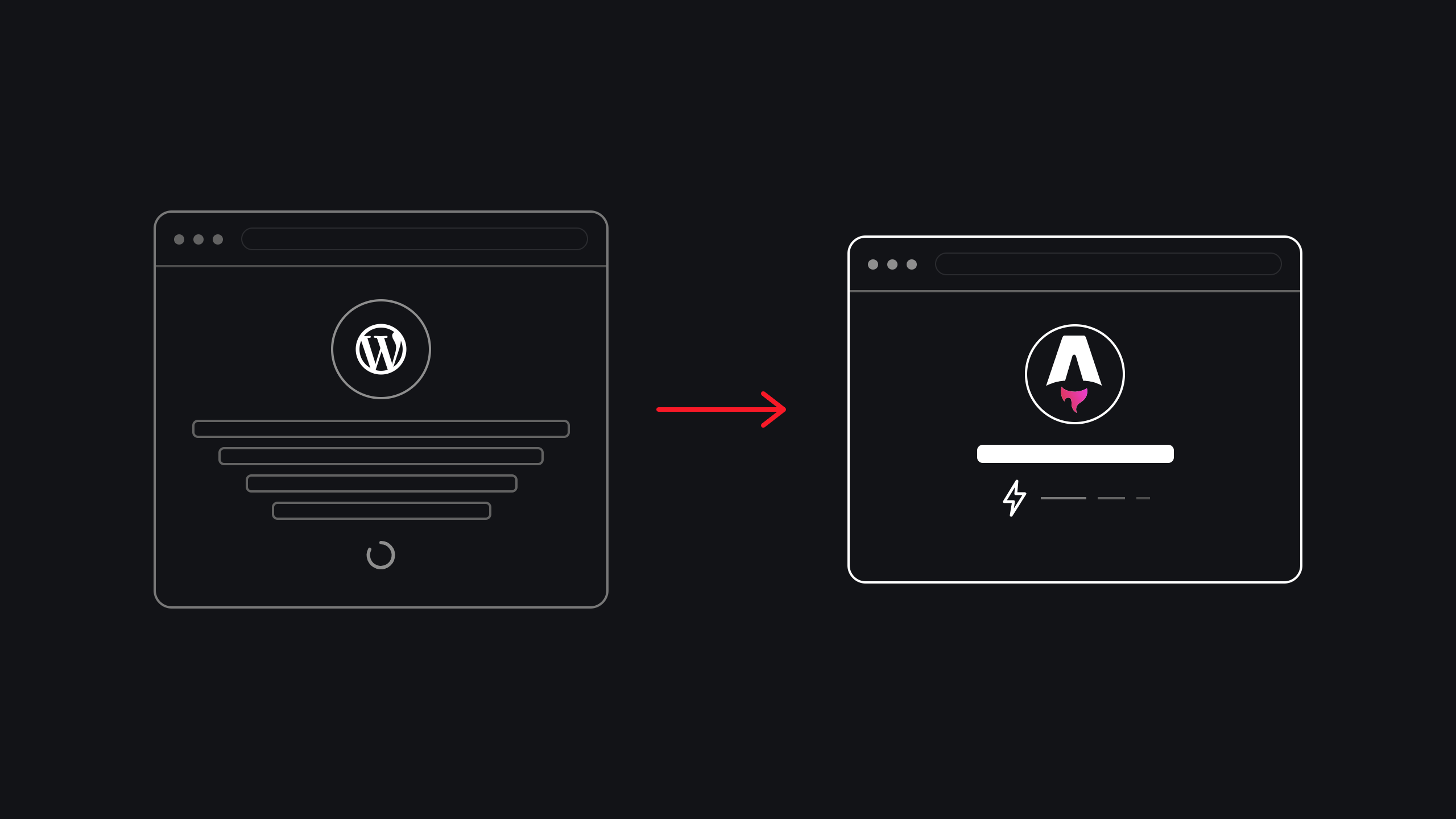
A database that assembles pages on request
Anyone can publish without a developer. Anything can be added with a plugin. Both of those strengths are also where the cost and the risk come from.
Pages built once, then served as files
Nothing runs when a visitor arrives, so there is little to secure, patch or scale. In exchange, publishing and interactivity both need designing rather than installing.
Publishing frequency decides it
Not traffic, not page count. How often non-technical people need to change something, and how much of the site is actually interactive.
WordPress and Astro are not competing at the same thing. One is a publishing system that renders websites; the other is a build tool that happens to suit content sites. Most bad platform decisions come from treating them as the same category.
01 · WordPress vs Astro: two ideas of what a website is
In WordPress, a page does not exist until someone asks for it. A visitor arrives, PHP runs, the database is queried, plugins add their contributions, and a page is assembled. Caching avoids repeating that every time, but the model underneath is assembly on demand.
In Astro, assembly happens once, at deploy. Every page becomes a finished file, distributed to servers worldwide. When a visitor arrives, the file is handed over — nothing computes, nothing queries, nothing fails under load.
Almost every difference below follows from that distinction. WordPress trades runtime work for flexibility; Astro trades flexibility for having nothing at runtime to go wrong. It belongs to the tools usually called static site generators, though the name undersells it.
- Request
- PHP runs
- Database
- Assemble
- Send
- Request
- Send
- Build
- Files
- CDN
Five steps on every visit, versus two. The work WordPress repeats each time is the work Astro does once, at deploy.
02 · Content management: WordPress editor vs Astro content files
This is where the two platforms are furthest apart, and it is the difference that decides most projects.
WordPress gives every author a browser editor, media library, revisions, scheduling, drafts and user roles — free, out of the box. A marketing manager can add a page at 4pm on a Friday without speaking to anyone. Twenty years of refinement went into that, and it shows.
Astro has no editor. Content lives as structured files with a defined shape — a product must have a price, an article must have an author — checked when the site builds. A record that does not match stops the build rather than publishing broken.
The trade is consistency for immediacy. You gain a guaranteed shape for every record and a full history of every change. You lose the Friday-afternoon edit.
| Task | WordPress | Astro |
|---|---|---|
| Publish a page | In the browser, instantly | Commit a file, site rebuilds |
| Undo a mistake | Post revisions | Full version history, whole site |
| Bad data | Publishes, you find out later | Fails the build before release |
| Who can publish | Anyone with a login | Anyone, if you add a CMS |
Can non-technical staff still publish on Astro?
Yes, provided you give them somewhere to write. A headless CMS restores the browser editor, previews and roles, and the site rebuilds when they publish. The choice is not editor versus no editor — it is whether the editor comes bundled or is attached deliberately.
Our rule of thumb: if more than two non-technical people publish, or anyone publishes daily, budget for a CMS from the start. Retrofitting one later costs more.
How often does someone need to publish, and who are they?
Files in Git
Cheapest and safest. Full history, validated content, no extra service to pay for.
Headless WordPress
Keeps the editor they know. You still maintain WordPress, just off the public internet.
A modern CMS
Previews, roles and scheduling. Adds a moving part and a per-seat cost.
All three run on Astro. The choice is about who publishes, not about the framework.
If keeping the familiar editor matters more than dropping the maintenance, pairing Astro with a headless CMS is the middle path.
03 · Development: plugins in WordPress, components in Astro
WordPress development is largely assembly. There is a plugin for most requirements, and the fastest path to a feature is to find it, install it, configure it. That is a real advantage — a booking system or membership area can be running in an afternoon.
The cost arrives later. Each plugin is code you did not write, updating on its own schedule, sometimes conflicting with another. Thirty plugins means thirty upgrade paths that must stay compatible with each other, the theme and the PHP version.
Astro development is composition. You build components and lay out pages with them. Less to install means less to conflict — but also nobody to install a booking system from. Interactive features are designed and built, and only those parts ship JavaScript. The rest is plain HTML.
WordPress is faster to a first version. Astro is cheaper to keep correct. Which matters more depends on whether you are treating the site as a project or as a permanent asset — which is the question we work through in how we build on Astro.
04 · Hosting: WordPress servers vs Astro static delivery
WordPress needs somewhere to run PHP and somewhere to keep a database: a server, backups of both, a PHP version to keep current, and usually a caching layer in front. Managed hosting exists because that is more moving parts than most teams want.
An Astro site is a folder of files on a content delivery network, close to your visitors, with no server to size and no database to back up. This is what people mean by JAMstack: static files at the edge, with dynamic behaviour added only where needed.
The phrase “no server” gets misused. Forms, search and anything personalised still need logic somewhere — usually a small serverless function. Far less infrastructure than a WordPress install, but not zero, and any comparison claiming otherwise is selling something.
05 · WordPress vs Astro cost, over three years
Sticker price favours WordPress and total cost usually favours Astro, which is why the two camps talk past each other. The way to compare them is to separate the costs that behave differently over time.
| Cost | WordPress | Astro |
|---|---|---|
| To build | Lower. Themes and plugins do much of it | Higher. Most things are built, not installed |
| To host | Ongoing, and rises with traffic | Often free at typical volumes |
| Licences | Annual, per premium plugin | Usually none, unless you add a CMS |
| To keep running | Continuous and never finishes | Near zero until you change something |
Compare over two or three years rather than at launch. A cheaper build that needs monthly attention often overtakes a more expensive one that needs almost none.
What does an Astro site cost to run?
Less than a WordPress site, but not nothing. Hosting for a pre-built site is often free at typical business volumes. Against that, count CMS seats, any form or search service, and the developer time a content change consumes when there is no Publish button.
The WordPress equivalent is hosting that scales with traffic, annual plugin licences, and a maintenance retainer that runs whether or not the site changed. Most comparisons leave that last line out, and over three years it is usually the largest number on either side.
WordPress
- Theme and build
- Initial setup
- Hosting, scales with traffic
- Premium plugin licences
- Update and patch cycle
- Backups and monitoring
Astro
- Build, larger than a theme
- Component work
- CMS setup, if you add one
- Hosting, often nothing
- CMS seats, if you added one
- Dependency updates
Both platforms cost money to build. The right-hand column is the one that compounds.
06 · Maintenance and security: the WordPress update cycle
A WordPress site is never finished. Core, plugins, theme and PHP all move independently, and each update carries a small chance of breaking something. The work is not hard, but it is perpetual, and it happens whether or not the site changed.
Is WordPress less secure than Astro?
Not inherently — WordPress core is scrutinised more heavily than most software. The difference is surface area. A WordPress site exposes a login page, a database and whatever endpoints its plugins add; each is a door that has to stay locked. An Astro site exposes files, so most of those doors do not exist.
Scale is the other half. Because WordPress runs so much of the web, automated scanning is constant and indiscriminate — a small site gets probed as often as a large one. That argues for keeping WordPress current, not abandoning it, but it is why a neglected WordPress site carries a different risk from a neglected static one.
WordPress needs ongoing attention to stay safe. Astro needs attention only when you want it to change. For an organisation with no technical person on hand, that difference is often the whole argument.
07 · WordPress vs Astro: performance and SEO
A well-built WordPress site with good hosting and sensible caching is fast. The comparison is not WordPress-is-slow; it is that Astro starts from a position where the usual causes of slowness are absent.
Three things make a WordPress page heavy, and all three come from the plugin model rather than WordPress itself. Plugins add their own stylesheet and script to every page, whether it uses the feature or not. Themes ship broadly, so they load broadly. And the page still has to be assembled before it is sent.
Astro ships no JavaScript by default. Interactive components are opted in individually, so a page with one interactive element sends only that code. Combined with pre-building, good performance becomes the default rather than something you tune towards.
You can still build a slow Astro site. Oversized images ruin either platform, and no framework saves you from a 3 MB hero photo.
Does moving to Astro improve SEO?
Not by itself. Astro does not make your content more relevant, and relevance is what ranks. It changes the technical floor: pages render fully in the HTML without waiting for JavaScript, load quickly on mobile, and do not shift while settling. Those are ranking inputs, but tie-breakers rather than the main event.
WordPress can hit the same floor with disciplined hosting, a lean theme and caching. The difference is that Astro arrives there by default and stays there, while a WordPress site drifts as plugins accumulate. If your organic traffic is already healthy, treat a platform change as protection, not a growth lever.
The real SEO risk sits in the move itself, not the platform. Rankings attach to web addresses, so any replatform that changes URLs without redirecting them properly costs you visibility regardless of which technology you land on. There are sites we have rebuilt, with the numbers, if you want to see how that plays out.
08 · Scalability: traffic, page count and team size
Scale means three unrelated things in these conversations, and the platforms rank differently on each.
| Kind of scale | Which holds up | Why |
|---|---|---|
| Traffic | Astro | Serving files absorbs a spike without upgrades or configuration |
| Page count | WordPress | Astro rebuilds everything on deploy, so very large sites need incremental builds |
| Team size | WordPress | Astro plus a CMS closes the gap but adds a moving part |
Which kind of scale do you actually have?
Be precise about which one you have. A campaign spike or press mention is traffic, and pre-built pages absorb it without you doing anything. Tens of thousands of product pages is build time, and needs incremental builds. Fifteen people who all publish is a workflow problem, and no framework solves it — you need a CMS either way.
Most teams asking about scale mean traffic, where Astro wins clearly. The ones who should worry have tens of thousands of pages or a large pool of non-technical publishers — both cases where WordPress earns its keep.
09 · When to choose WordPress, and when to choose Astro
We build on Astro and still recommend WordPress regularly. It is the better choice more often than the framework conversation admits.
Several people publish daily
Editor, roles and workflow already solved
You run a real store
Live orders, stock and payments
Members log in
Gated content, forums or accounts
Budget tight, deadline close
A capable theme ships in days
Your team already knows it
Switching carries a training cost
Mostly read, rarely written
Marketing sites, catalogues, docs
Maintenance is the complaint
Updates and vulnerability notices
Search traffic is the channel
Fast pages are a durable advantage
Traffic is spiky
Campaigns and press cost nothing extra
Correctness matters
Validated content beats a free-text box
If you recognise your site in the right-hand column and you are already on WordPress, moving is a well-understood project — the main thing to get right is moving a WordPress site without losing its URLs.
WordPress vs Astro: common questions
Neither is better in general. Astro is better for sites that are mostly read; WordPress is better for sites that are constantly written to, or where users log in. Match the tool to the publishing pattern.
It has been stable for several years and runs plenty of commercial sites, including documentation for products you have heard of. The more useful question is whether the people maintaining your site know it — the framework is not the risk, the hiring pool is.
No. It handles large catalogues and can render pages on demand where that is needed. The real limit is build time on very large sites, and how much of the page is truly interactive.
Easier than most platform exits, because the content is not trapped in a database. Your pages, products and articles are plain structured files that any other system can read. The templates would be rewritten; the content would not.
Usually, and often more faithfully than you expect — a design rebuilt as components tends to end up more consistent than one assembled in a page builder. What does not survive is anything that depended on a specific plugin’s markup.

Ruta Savani
Senior full-stack engineer at Flex Solutions, working across the stack from data model to interface. Takes work from proposal through build and iteration, closest to where engineering and product thinking meet.
- + ENGINEERING23 Oct 2026
Multi-Tenant Postgres: Schema-per-Tenant vs Row-Level Security (and How to Migrate Live Tenants)
Ruta Savani · 14 minutesRead → - + ENGINEERING23 Jul 2022
How enterprise sites can do more with WordPress.
Vipul J Bhikadiya · 11 minutesRead → - + ENGINEERING23 Jul 2022
What is GDPR? Why you should be compliant.
Vipul J Bhikadiya · 10 minutesRead →