Desktop App Development for SaaS: Electron vs Tauri vs Native
Electron, Tauri or native? Compare size, memory, signing and updates, then see how a desktop app development company picks the right stack for SaaS.
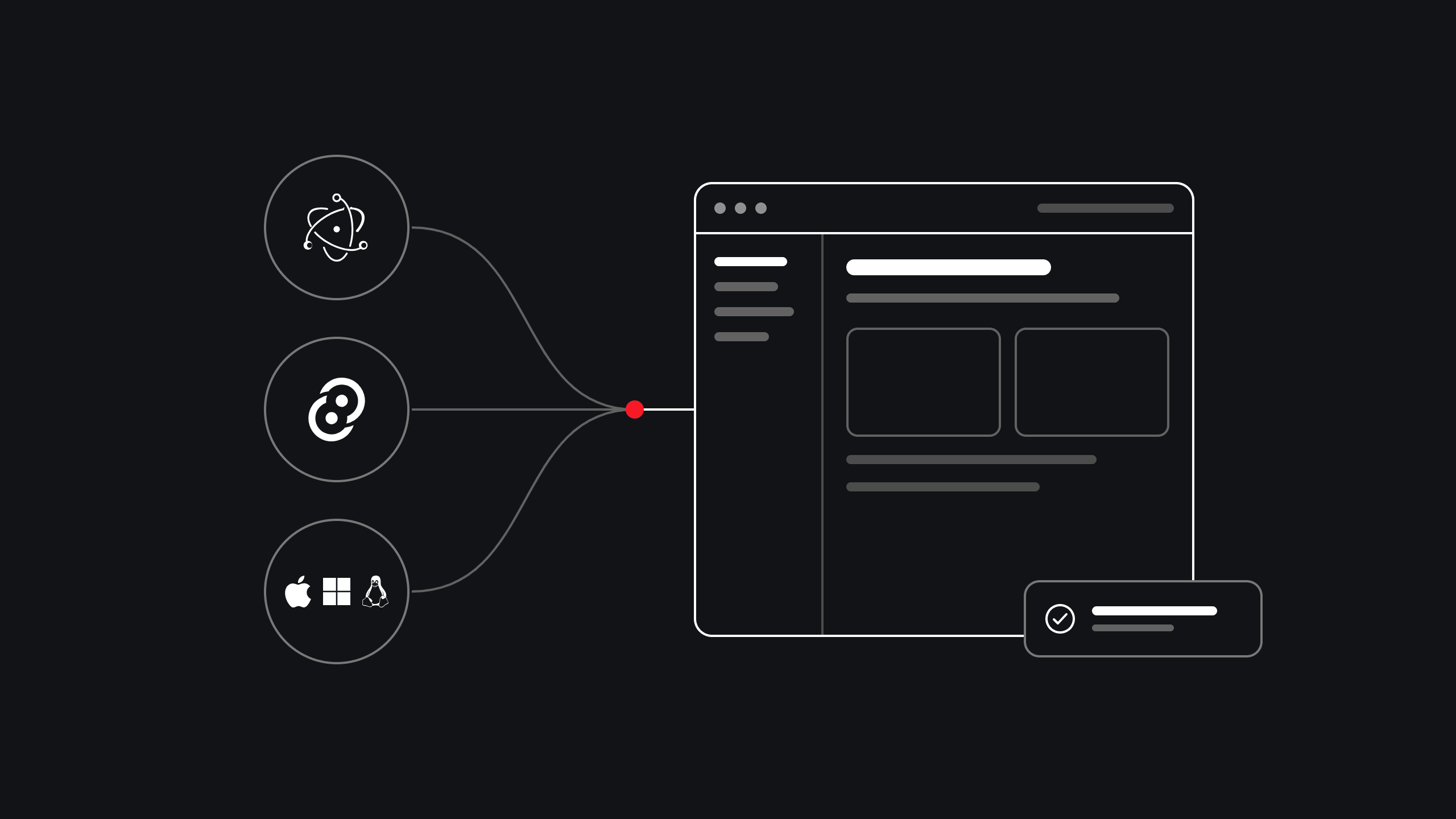
Pick Electron when you are converting an existing web app and need signed, auto-updating builds fast.
Pick Tauri when your team has Rust skills and a small download and low memory use matter most.
Pick native when you need deep OS integration on one platform and can fund separate codebases.
Signing, auto-updates and the security boundary break in production more often than the UI does, so plan them first.
Ship in stages: a signed shell first, then features, then a staged update rollout.
Ship a desktop app that feels like a browser tab in a costume, and users spot it within minutes. Pick the wrong stack, and you find out months later, when signing fails, memory balloons or a rewrite lands on the roadmap. Pick the right one, and your desktop app becomes the version of your product that customers keep open all day.
For SaaS desktop app development, choose Electron if you are converting an existing web app and want the fastest route to a signed, auto-updating app on macOS, Windows and Linux. Choose Tauri if your team has Rust skills and needs a small footprint. Choose native if you need deep OS integration on a single platform.
Desktop requests usually arrive the same way. Customers ask for the product outside a browser tab, an enterprise IT team wants managed, signed installers, or users need to keep working when the network drops.
The stack matters less than most teams expect. What decides whether a desktop project succeeds is the layer around the UI: the security boundary, code signing, auto-updates, offline sync and a performance budget. This guide is for SaaS teams that already have a web product, whether you are comparing stacks or evaluating a desktop app development company. It explains each option, compares them side by side, gives you a decision framework and walks through an eight-step process from web app to signed desktop app.
01 · Why do SaaS teams build a desktop app?
SaaS teams build a desktop app when a browser tab is not enough: users need offline access, system-level integration such as menus and file associations, or a tool they keep open all day. If none of those apply, a well-built web app or PWA is usually the cheaper answer.
The common triggers are:
- Offline work
- Users keep working through bad connections, and changes sync when the network returns.
- OS integration
- Tray icons, global shortcuts, native dialogs, deep links and file associations make the product feel like part of the computer.
- Managed distribution
- Enterprise IT teams prefer signed installers they can deploy and update on their own schedule.
- Focus and performance
- A dedicated window and process keeps the product away from forty other tabs.
When is a web app or PWA enough?
If your product is mostly forms and dashboards and users are always online, a PWA can cover installability and notifications with far less effort. Build a desktop app when the missing piece is something a browser cannot do, not because a competitor has an installer.
02 · Electron, Tauri and native: the three approaches in plain terms
Electron packages your web app with its own copy of Chromium and Node.js. Tauri packages it with the operating system’s built-in webview and a Rust backend. Native means building a separate app for each platform with that platform’s own toolkit. The trade-off is reuse and speed against footprint and depth.

03 · What is Electron, and how does it work?
Electron is an open-source framework that bundles Chromium and Node.js into one desktop binary, so a web team can ship one codebase to Windows, macOS and Linux. Visual Studio Code, Slack and Discord are well-known Electron apps.

How it works
An Electron app has one main process and one or more renderer processes. The main process controls windows, menus and access to the operating system. Each renderer is a Chromium page that runs your React UI. A small preload script sits between them and exposes only the functions the UI needs, which keeps the security boundary tight:
// preload.ts: expose a minimal, typed API to the renderer
import { contextBridge, ipcRenderer } from 'electron';

contextBridge.exposeInMainWorld('desktop', {
  openFile: () => ipcRenderer.invoke('dialog:openFile'),
});Highest code reuse. Most of an existing web UI ports directly.
Consistent rendering. Every user gets the same Chromium, whatever the OS.
Mature tooling. Signing, packaging and auto-update tools are the most established of the three options.
Large ecosystem. Hiring JavaScript and TypeScript engineers is straightforward.
Binary size. Bundling Chromium puts typical installers between 80 and 150 MB.
Memory. Idle RAM needs profiling against a budget. We target under 200 MB.
Security. Keep context isolation on, keep Node integration off in the renderer and validate the sender of every IPC message. Electron’s own security guidance is the checklist to follow.
Chromium upgrades. You own them, so keep Electron current to receive security patches.
Electron suits teams with an existing web product and a JavaScript or TypeScript team who want to ship quickly.
04 · What is Tauri, and how is it different?
Tauri is an open-source framework for building desktop apps with a web frontend and a Rust backend, using the operating system’s own webview instead of bundling a browser. Tauri 2 also supports iOS and Android, which matters if mobile is on your roadmap. See the Tauri documentation for current details.
How it works
The frontend renders in WebView2 on Windows, WKWebView on macOS and WebKitGTK on Linux. A Rust core handles system access. The frontend calls Rust commands, and a permissions system controls what it is allowed to do.
Small binaries. Typical installers are 5 to 15 MB.
Lower memory by default. There is no bundled browser engine.
Security by design. Access to system features is explicit and permission-based.
Webview differences. The same CSS and JavaScript can behave differently across operating systems and OS versions, so you test on every platform.
Rust skills. Someone on the team has to write and maintain Rust.
Backend rewrite. Node.js APIs are not available, so backend logic is usually rewritten.
Younger tooling. Signing and update tooling is less mature than Electron’s.
Tauri suits teams with Rust capacity who want a smaller footprint, such as utilities and lightweight tools where download size and memory matter most.
05 · What does native desktop development mean?
Native desktop development means building each app with the platform’s own language and UI toolkit: Swift with SwiftUI or AppKit on macOS, C# with WinUI or .NET on Windows, and Qt or GTK on Linux. You get the best performance and the deepest OS access, and you maintain a separate codebase per platform.
Best performance and smallest footprint. There is no web runtime in the way.
First access to new OS features. You do not wait for a framework to catch up.
Platform-perfect UX. Controls, accessibility and behavior match the OS exactly.
Multiple codebases. Each platform needs its own engineers, tests and release process.
Slowest to market. Every feature is built more than once.
No web UI reuse. Your React app does not carry over.
Higher hiring cost. You need platform specialists.
Native suits a single-platform product, or software that needs deep OS access, such as low-level hardware, system extensions or heavy graphics.
06 · Electron vs Tauri vs native: side-by-side comparison
Electron wins on reuse and speed to a signed build, Tauri wins on size and memory among the web-based options, and native wins on OS depth, performance and footprint. The table compares the three on the points that matter most for a SaaS team.

| Factor | Electron | Tauri | Native (Swift / C# / Qt) |
|---|---|---|---|
| Codebase reuse from your web app | High. Most of the UI ports directly | Medium. The UI ports, the backend is usually rewritten in Rust | Low. Effectively a full rewrite |
| Typical binary size | 80–150 MB | 5–15 MB | Varies, usually the smallest |
| Idle memory | Under 200 MB when tuned | Lower by default | Lowest, since it is OS-native |
| Rendering consistency | Same Chromium on every OS | Depends on each OS’s webview | Native controls per OS |
| Time to first signed build | Fastest | Slower | Slowest |
| Auto-update tooling | Mature (built-in autoUpdater, electron-updater) | Updater plugin, still young | Separate pipeline per platform |
| Skills needed | JavaScript / TypeScript web team | Web plus Rust | Swift, C# or C++ per platform |
| Depth of OS integration | Good, via Node.js and native modules | Good, via Rust | Best |
| Best fit | A web team shipping a real product fast | Teams with Rust capacity and a tight footprint | Deep OS integration, often one platform |
Size and memory figures are typical ranges from our own builds. Your results depend on dependencies and how much you optimize.
07 · How do you choose between Electron, Tauri and native?
Choose by team skills, existing code and footprint budget, not by popularity. If you have a web app and a JavaScript team, Electron is usually the fastest route. If you have Rust skills and tight size limits, look at Tauri. If you need deep OS access, go native. Ask these five questions in order:
- 01 Do you already have a web app?
- If yes, Electron reuses the most code and shortens the path to a first signed build.
- 02 Does your team have Rust capacity?
- Without it, Tauri adds a new language to your critical path.
- 03 How tight is the footprint budget?
- If a 100 MB download or 200 MB of idle memory is a real problem for your users, weigh Tauri or native.
- 04 How deep must OS integration go?
- Bluetooth, system extensions and low-level APIs point to native.
- 05 How many platforms, and how fast?
- Three platforms on one timeline favor Electron or Tauri. One platform with no deadline opens up native.
The answers usually land in one of three places:
- Existing web app, fast delivery
Choose Electron
- Rust capacity and a small footprint
Choose Tauri
- Deep OS integration on one platform
Choose native

If the answers pull in different directions, get an outside review before you commit. A short look at your real codebase settles the question faster than debate.
08 · How do you convert a web app into a desktop app? Eight steps
To convert a web app into a desktop app, keep the UI, then build the layer around it: process boundary, native integration, offline data, signing, updates and a performance budget. The process below follows how we run Electron engagements and applies to Tauri with different tooling.
- 01
Discovery and shape
Read the existing web app, map the desktop-only surface (native menus, file system access, offline needs) and write a one-page shape doc. Agree scope before building.
- 02
Stand up the shell
Create the Electron or Tauri shell with a strict boundary between the UI and the operating system, using preload-only IPC and context isolation.
- 03
Set up signing before features
Get a signed, notarized build into internal distribution early. Signing late is a common source of launch delays.
- 04
Build native UX
Add real menus, tray icons, keyboard shortcuts, deep links and file associations so the app follows OS conventions instead of looking like a web frame.
- 05
Add offline mode and sync
Store data locally with SQLite or IndexedDB and add a sync layer that handles conflicts, retries and partial outages without losing user work.
- 06
Wire up auto-updates
Build staged rollouts, update channels and a kill switch into CI from the first release.
- 07
Set a performance budget
Measure cold start and idle memory against targets, then profile. Ours are under 1.5 seconds and under 200 MB.
- 08
Harden and hand over
Run an accessibility pass, roll updates out in stages, and hand over a runbook and the signing keys so your team owns the pipeline.
Leaving signing to the end, an unsecured IPC layer, no offline plan and big-bang releases. The eight steps above address all four.
09 · Code signing, auto-updates and security: what breaks in production
Code signing proves who built the app, auto-updates keep users on a patched version, and a strict security boundary stops web content from reaching the operating system. Teams that leave all three to the final week often miss their launch date.

Code signing and notarization
On macOS, apps need a Developer ID certificate, the hardened runtime and notarization by Apple. See Apple’s guide to notarizing macOS software. On Windows, code signing keys must now live on a hardware security module, so most teams sign in CI through a cloud signing service. Microsoft’s Azure Artifact Signing (formerly Trusted Signing) is the low-cost option where it is available in your country. An EV certificate no longer skips SmartScreen warnings: since 2024, every new build earns reputation over time, whichever certificate signs it. Document who holds the keys and how they rotate.
Auto-updates
Electron’s built-in autoUpdater uses Squirrel.Mac on macOS, where the app must be signed for updates to work, and supports Windows through Squirrel.Windows or MSIX packages. It has no built-in Linux support, so most teams add electron-updater from electron-builder, which covers Linux (AppImage, deb, rpm), the Windows NSIS installer and staged rollouts. Tauri has an official updater plugin, and its update signatures are mandatory. Whatever you choose, ship staged rollouts, separate channels and a kill switch, so a bad release reaches 5% of users instead of all of them.
Security
Keep context isolation on, keep Node integration off in the renderer, validate the sender of every IPC message, set a strict content security policy and update the framework regularly. Treat the renderer as untrusted, the same way you treat a web page.
10 · Common mistakes teams make
Choosing by hype.
Pick the stack your team can maintain, not the one with the most stars.
Wrapping the website and calling it an app.
Without native menus, shortcuts and offline support, users will ask why they should not just use the browser.
Leaving signing for the last week.
Certificates, notarization and IT approval take calendar time.
Skipping the offline and sync plan.
Conflict handling is hard to retrofit.
Shipping updates to everyone at once.
One bad build then becomes an outage.
Ignoring memory and cold-start budgets.
Users notice a slow, heavy app on day one.
11 · When should you hire a desktop app development company?
Hire a desktop app development company when your team lacks signing and update experience, your web engineers are already stretched, or an earlier desktop attempt has stalled. A good partner works alongside your engineers and hands over the keys, runbook and pipeline at the end.
Signs you need outside help
Nobody on the team has shipped a signed, auto-updating desktop app.
Your roadmap cannot spare web engineers for a three-month side project.
A prototype exists, but it is not signed, secure or ready for IT teams.
What to ask a desktop app development agency
Have you shipped signed, auto-updating apps, and can I see them?
How do you handle staged rollouts and rollbacks?
Who actually writes the code, and will I meet them?
What do I own at the end: signing keys, pipeline, runbook?
What good desktop app development services include
A shape doc before work starts, a signed build in the first weeks, weekly builds and demos, a performance audit, a handover with key transfer, and a support tail afterwards. Our Electron app development services follow this pattern, and for products with complex data sync we pair them with our SaaS product engineering team.
12 · What we see when teams come to us
The teams we work with usually have a working web product and customers asking for a desktop version. Most have tried a quick wrapper and found that signing, updates and offline behavior are where it falls apart.
Flex Solutions is a product engineering studio that has shipped 12 desktop apps. A typical engagement is fixed scope, runs 8 to 14 weeks, and is staffed by two engineers and one designer, the people who write the code. Across our signed releases the update success rate is 99.4%. We default to Electron for SaaS teams converting a web app, but we will tell you upfront if Tauri or native fits better.
See how we work on our case studies page.
Frequently asked questions
Electron is usually best for a SaaS team converting an existing web app, because it reuses the most code and has the most mature signing and update tooling. Tauri suits teams with Rust skills who need small binaries. Native suits products that need deep OS access on a single platform.
Yes. Most of the UI carries over as is. The real work is the surrounding layer: the process boundary and IPC, native menus and dialogs, an offline data store with sync, and a signed, auto-updating build pipeline.
Not universally. Tauri produces smaller apps and uses less memory by default, but it needs Rust skills, usually means rewriting backend logic and depends on each OS’s webview, so rendering can differ. Electron ships the same Chromium everywhere, so behavior is consistent and the tooling is more mature.
Each Electron app bundles Chromium and Node.js, which is why typical installers are 80 to 150 MB. Profiling, lazy loading and trimmed dependencies reduce memory and improve startup, but the bundled runtime stays. If download size is critical, evaluate Tauri or native.
A typical Electron engagement with us runs 8 to 14 weeks at a fixed scope. The main cost drivers are the number of platforms, offline and sync needs, native integrations and signing setup. A one-page shape doc settles scope and fee before build starts.
Yes, for any app you distribute to customers. Unsigned apps trigger operating system warnings and can be blocked by enterprise IT policies. macOS apps also need notarization by Apple. Set up signing before building features.
Look for shipped, signed and auto-updating apps, a clear approach to staged updates and rollbacks, engineers who write the code rather than relay it, and a handover that gives you the signing keys, pipeline and runbook.
Conclusion: choose the stack your team and product need, then ship in small, signed steps
Electron is the better default for a SaaS team with an existing web app. Tauri is the better choice when Rust skills and a small footprint matter most. Native is the better choice when you need deep OS integration on one platform. Whatever you choose, set up signing and updates first, add features in vertical slices, and roll releases out in stages.
If you are not sure which stack fits, get a one-page shape doc. Tell us what you are building, and we will send back a shape doc and a fee letter within four working days. You can also explore our desktop app development services before you decide.

Ruta Savani
Senior full-stack engineer at Flex Solutions, working across the stack from data model to interface. Takes work from proposal through build and iteration, closest to where engineering and product thinking meet.
- + ENGINEERING18 Nov 2026
How to Migrate SaaS Billing to Stripe, Lago or Orb Without an Outage
Ruta Savani · 16 minutesRead → - + ENGINEERING23 Oct 2026
Multi-Tenant Postgres: Schema-per-Tenant vs Row-Level Security (and How to Migrate Live Tenants)
Ruta Savani · 14 minutesRead → - + ENGINEERING31 Aug 2026
WordPress vs Astro: what actually costs
Ruta Savani · 11 minutesRead →